
Core Web Vitals: your website’s performance, explained simply
Google measures three metrics to judge your visitors’ real experience. Here is what they mean, which results to aim for and how to check your site.
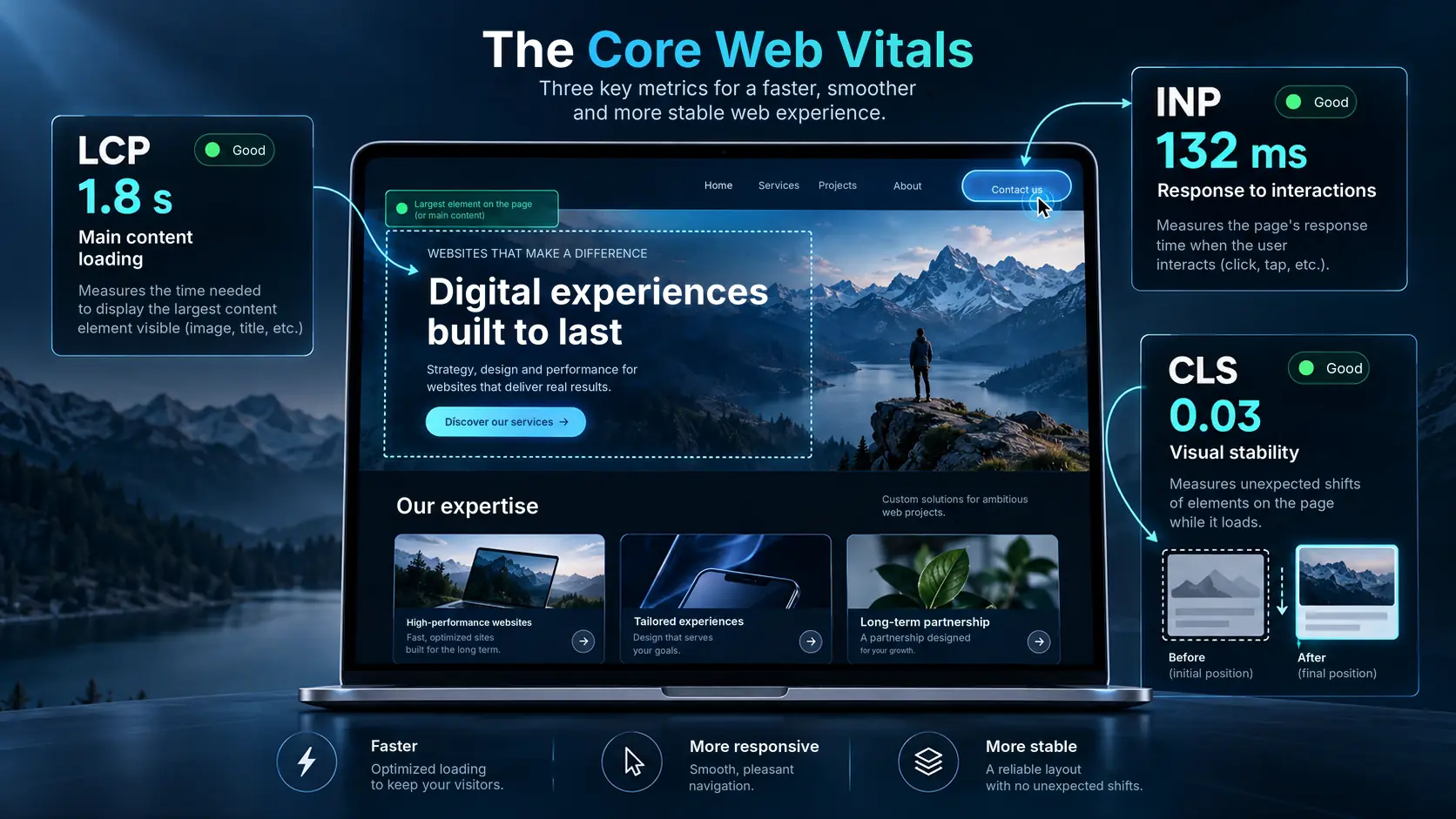
LCP, INP and CLS: what they measure
Each one measures a specific moment of the experience: seeing the page, interacting with it and reading it without surprises.
Largest Contentful Paint
Measures the time needed to display the largest visible element on the page, often a large image or a heading.
Good result: 2.5 seconds or less
Interaction to Next Paint
Measures how quickly the site responds when a visitor clicks a button, uses a menu or types on the keyboard.
Good result: 200 milliseconds or less
Cumulative Layout Shift
Measures unexpected movement of elements on screen while the page loads.
Good result: 0.1 or less
Values recommended by Google
| Metric | Good | Needs improvement | Poor |
|---|---|---|---|
| LCP | ≤ 2.5 s | 2.5 to 4 s | > 4 s |
| INP | ≤ 200 ms | 200 to 500 ms | > 500 ms |
| CLS | ≤ 0.1 | 0.1 to 0.25 | > 0.25 |
These thresholds are assessed at the 75th percentile of real visits, separately for mobile devices and desktops.
Impressive and fast, with no compromise
A spectacular site with lots of animation can look great, but also become slow. Our goal is a visually impressive website that doesn’t sacrifice performance.
These metrics contribute to the user experience and are taken into account by Google’s ranking systems, but they do not guarantee a first-place ranking on their own.
- LCP: we optimise large images and the loading of the home page.
- INP: we keep animations smooth and menus that respond immediately.
- CLS: we stop images, text and buttons from shifting while the page loads.
Test your website for free
Use Google’s free tool: PageSpeed Insights. You’ll get a performance score out of 100 and details on these three metrics.
Real-visit data only appears for sites with enough traffic. Otherwise the tool shows simulated measurements, which are still useful for spotting problems.
Your questions, answered
Do Core Web Vitals affect my Google ranking?
Yes, they are part of the page experience signals Google takes into account. They don’t replace relevant content, which remains decisive, and they don’t guarantee a first-place ranking.
Does my current website meet these thresholds?
A free test in PageSpeed Insights tells you in seconds. We can then propose a fix plan, or a redesign if that is more effective.
Can an animated site be fast?
Yes, provided the animations are lightweight, images are optimised and the space for elements is reserved before they load.
Let’s talk about your project
Describe your needs in a few lines. You will receive a clear answer and a tailored proposal.
Request a quote